As an Amazon Associate this site earns from qualifying purchases.
At-a-glance decision matrix
| Product | Key Spec / Format | Standout Feature | Build & Details | View Listing |
|---|---|---|---|---|
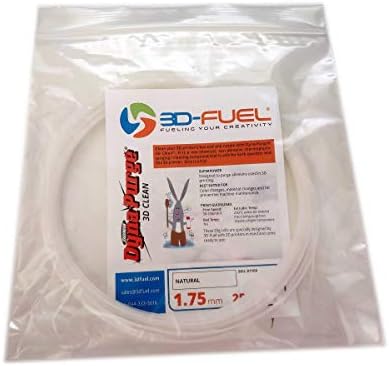
| Published brand: 3D-FUEL FUELING YOUR CREATIVITY | Listing states: USE IT when YOU switch materials | Listing states: Made in fargo, north dakota, USA | Check on Amazon | |
| Published brand: 3D-FUEL FUELING YOUR CREATIVITY | Listing states: Improve print quality | Listing states: For hotend clogs & maintenance | Check on Amazon | |
| Listing states: Must-have for failed-print prevention | Listing states: Stops filament from sticking to your nozzle | Listing states: Compatible with ANY hotend, ANY filament | Check on Amazon | |
| Verify format & fit options | Published brand: Creality | Review included accessories on listing | Check on Amazon | |
| Compare available configurations | Listing states: Package include | Published brand: TIEXYE | Check on Amazon |
Quick answer: Check whether extrusion fails everywhere or only against the bed. Check the spool, feeding path, and drive gear before assuming a clogged nozzle. Confirm the recommended extrusion temperature before using the printer’s extrusion control with the nozzle raised clear of the bed. Never force filament through a cold hotend.
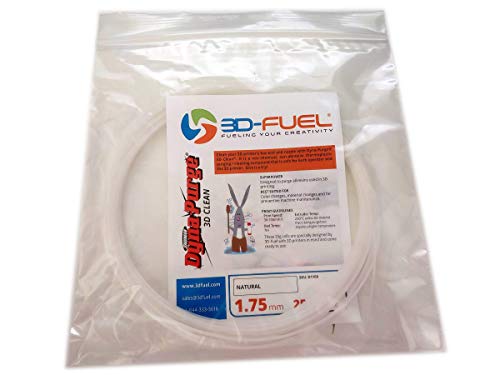
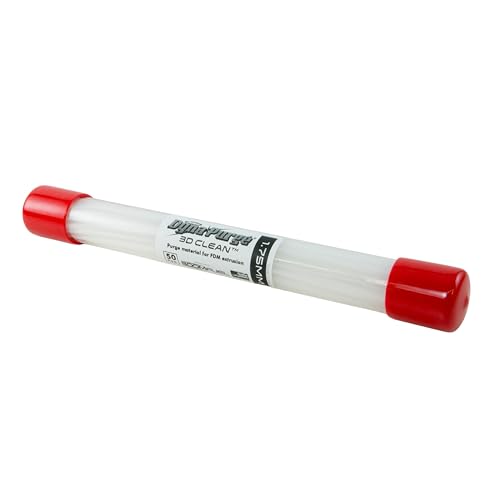
- SCRUBS OUT THE LAST MATERIAL: 3D Clean is a blend of polymers with different densities that gives a soft scrubbing action. It expands slightly in the hot end to grab leftover
- USE IT WHEN YOU SWITCH MATERIALS: Going from high-temp to low-temp filament (nylon to PLA), from PLA to PCTG or PETG, from a dark color to white, or after wood-filled, glow in the
- CLEAN YOUR 3D PRINTER with 3D Clean (Dyna Purge), a non-chemical, non-abrasive thermoplastic compound that's safe for both the operator and the printer
- FOR HOTEND CLOGS & MAINTENANCE: 3D Clean does the heavy lifting by cleaning that pesky clogged printer nozzle and performing routine maintenance (recommended minimum every 3
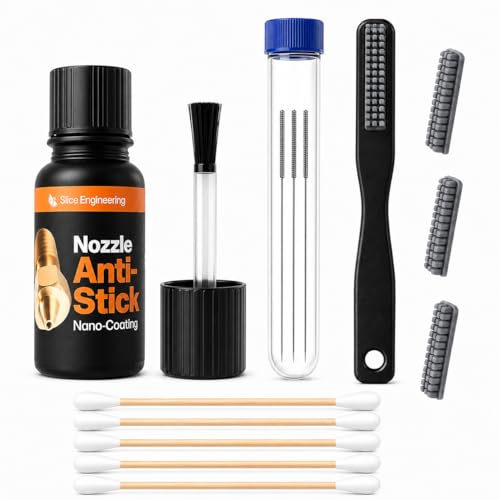
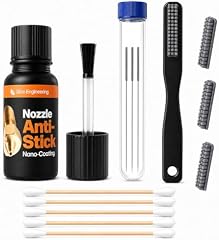
- STOPS FILAMENT FROM STICKING TO YOUR NOZZLE – Brush-on nano-coating creates an anti-stick barrier so molten plastic releases cleanly instead of building into the blackened gunk
- WORKS AS A NO CLOGGER 3D PRINTER TOOL – By keeping the exterior of your nozzle slick, this coating reduces the debris that drags into prints and the residue buildup that
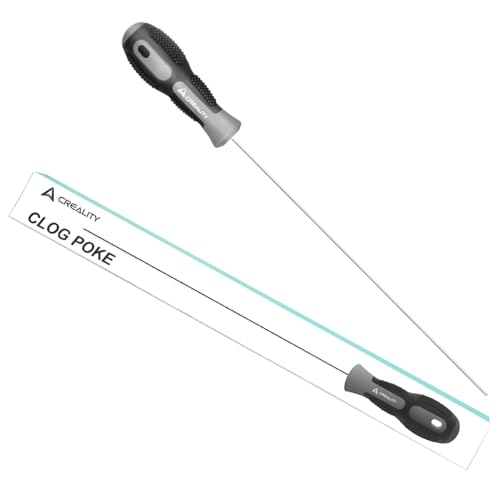
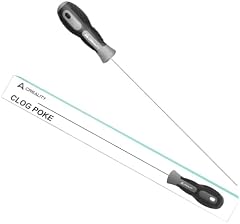
- 【Quality Assurance】100% Creality Official Clog Poke 3D Printer Nozzle Cleaning Kit. Creality clog poke is made of high-quality steel and finely crafted, with higher hardness and
- 【Built for 3D Printing Nozzle】Diameter 1.5mm can cover more of the 1.75mm filament tube, and the arrow tip of clog poke is designed to match the end shape of the nozzle. Compared
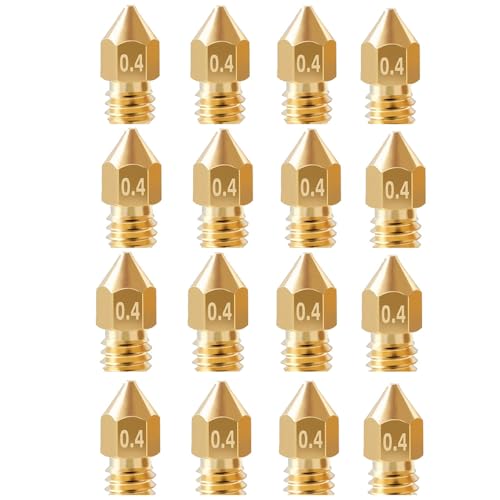
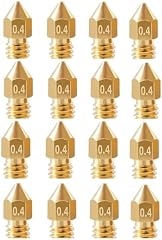
- Package include: 16Pcs 3D
- 3D Printer Ender 3 Nozzles 0.4mm are made of Brass, Out Thread: M6, Filament Diameter: 1.75mm
Options for the next step
3D-Fuel 3D Clean Nozzle Cleaning Filament 1.75mm
Published listing overview:
According to the Amazon listing, the product title is published as 3D-Fuel 3D Clean Nozzle Cleaning Filament 1.75mm, 25g Coil | Purges Old Filament, Colorant and Carbon Specks Between Material Changes, Made in USA.
Check the exact variant's listing for the details that matter to your intended use; treat omitted details as unknown.
Choose another option if the listing does not establish your most important requirement.
3D-Fuel 3D Clean Nozzle Cleaning Filament 1.75mm
3D Fuel 3D Clean Printer Nozzle Cleaning Filament
The listing's lead claim:
The listing for 3D Fuel 3D Clean Printer Nozzle Cleaning Filament states: IMPROVE PRINT QUALITY: Removes residue from PLA, PETG, ABS and other filaments by adhering to byproduct and debris left behind in the extruder, resulting in smoother, more accurate models.
Compare the listed variant and included items with your requirements before ordering.
Consider an alternative when its verified details match your priorities more closely.
3D Fuel 3D Clean Printer Nozzle Cleaning Filament
Slice Engineering 3D Printer Nozzle Cleaning Kit with Anti
Published listing overview:
According to the Amazon listing, the product title is published as Slice Engineering 3D Printer Nozzle Cleaning Kit with Anti Stick Coating | 3D Printer Accessories & Tools, No Clogger Clog Remover Unclogging Tool, Maintenance Kit, Plastic Repellent Paint Coating.
Verify compatibility and any ongoing requirements with the manufacturer for this exact option.
Compare another listing if this one leaves a decision-critical question unanswered.
Slice Engineering 3D Printer Nozzle Cleaning Kit with Anti
Creality 3D Printer Tools
Published listing overview:
According to the Amazon listing, the product title is published as Creality 3D Printer Tools, Creality Clog Poke 3D Printer Nozzle Cleaning Kit for 1.75mm Filament Nozzles, Φ1.5mm Needle with Arrow Tip, 210mm Prolong&Hight Hardness Cleaning Hotend Without Disassembly.
Review the published directions, care needs, and limitations for the precise version shown.
Choose a different option if the exact variant or included items do not fit your needs.
16Pcs Ender 3 Nozzles 0.4mm
Published listing overview:
According to the Amazon listing, the product title is published as 16Pcs Ender 3 Nozzles 0.4mm, MK8 Extruder Nozzles 0.4mm Compatible for Creality Ender 3 v2/Ender 3 Pro/Ender 3 Max/Ender 5 Pro/Ender 3 S1/Ender 3 Neo/CR-10 Series 3D Printer Brass Nozzles.
Confirm that the features you rely on are stated for this exact variant.
Look elsewhere if you need clearer evidence for a requirement this listing does not address.
Find where extrusion stops
Start before the hotend
Check for crossed spool turns, snagged filament, and resistance along the feeding path. Check whether the drive gear rotates without advancing filament or has ground a notch into it. Pause repeated loading attempts rather than letting the gear chew further.
Confirm the recommended unloading procedure before removing damaged filament. Disconnect power before cleaning accessible drive components.
Separate a bed problem from a blockage
Check whether extrusion resumes when the nozzle is raised using the printer controls. Check the first-layer offset and leveling procedure if flow stops only near the bed; excessive squish can obstruct the outlet.
Check for persistent clicking or absent flow away from the bed before investigating the hotend. Clicking alone does not identify the cause.
Clear cautiously, then investigate recurrence
Confirm the manufacturer’s nozzle-clearing procedure, including whether a cold pull is appropriate. Avoid improvising with drills or forcing cleaning tools into the outlet. Keep fingers away from heated parts.
Check the hotend cooling fan and ventilation if extrusion starts normally but stops during printing. Compare commanded flow and retraction settings with the printer’s guidance before raising temperature indiscriminately. Stop immediately for smoke, damaged wiring, or temperature errors.
Video guidance for clearing an obstruction
This independent walkthrough was selected for its relevance to the topic; it may show a different model than those compared here and does not document testing by this site. The manufacturer's instructions for your exact variant take priority over any video.

Watch the Choosing The Perfect 3d Printer Filament For Beginners: Simple Tips on YouTube
Choose a walkthrough matching your hotend’s maintenance procedure. Pause before any disassembly and consult the written safety instructions.
Authoritative maintenance sources
Government guidance explains the general safety, efficiency, and consumer-protection questions behind this purchase; it does not certify or endorse any listing compared here.
Confirm any certification claim against the certifying organization's own records.Check official printer maintenance documentation and filament temperature guidance before following generic unclogging advice.
Questions before choosing
Should I replace the nozzle immediately?
Check feeding, temperature, and bed clearance first. Confirm nozzle compatibility and the required replacement procedure before ordering.
Should I increase extruder tension?
Check for slippage and grinding first. Confirm the documented tension adjustment rather than tightening blindly.
Could damp filament explain this?
Check storage history and drying guidance, but diagnose a complete feeding stoppage before treating moisture as the explanation.
When should I stop troubleshooting?
Stop for electrical faults, uncontrolled heating, or steps beyond the documented maintenance procedure. Seek qualified support instead of escalating force.